Factory Service Locators

Access our factory trained and certified network of service partners who can assist you with all of your service needs.

Parts Identification

North American Training

Frymaster Training Modules

Technical Service Bulletins

Kit Instruction Sheets

Forms (Checklists, Commission, Statistics, Etc.)

Parts Identification

There are several tools in the section below that can be used to help locate a part number.

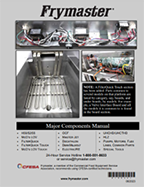
  • The most common parts for various types of equipment are in the Major Components Manual section. QR codes and links in each section of the Major Components Manual link to specific parts manuals for the equipment.  
  • Enter a Serial Number in the Parts Manual Search by Serial Number section to locate the parts manual associated with a fryer.  The manuals have links that go directly to the parts manual.
  • Enter a Serial Number in the Model Search by Serial Number section to locate the specific model number of the equipment.
  • The Parts/Service Manual Cross Reference section can also be used to locate a parts manual, however, the Parts Manual Search by Serial Number is quicker.
  • Links to all Parts/Service Manuals provides links for a specific Parts/Service Manual. 
  • Links on the Parts Orders section provides a link for FAS's to order parts or to locate the nearest FAS to place a parts order.

Major Components Manual

Major Components Manual

The Major Components Manual lists the MOST common ordered parts for our equipment.

Click HERE to view the Major Components Manual.
To better your searching within the Major Components Manual or any Parts Manuals, use the search function Ctrl+F within the PDF. Then search for your desired part name.

Parts Manual Search by Serial Number

Click HERE to search for a Parts/Service Manual by Serial Number.
Some serial numbers may display multiple manuals. If so, use the model number in the Model Search by Serial Number or the Parts/Service Manual Cross Reference below to locate the specific manual.

Model Search by Serial Number

Click HERE to search for a Model Number by Serial Number.
Enter the serial number to find the model number if unknown. The model number can be cross referenced with the Parts/Service Manual Cross Reference below to locate a manual.

Parts/Service Manuals

Complete Parts/Service Manuals can be located at the links below. Use the search function CNTL+F within the pdf. Then search for your desired part name.
Click HERE to search for Non-McDonald's Parts/Service Manuals.
Click HERE to search for McDonald's Parts/Service Manuals.

Email

If after using the Major Components manual above and/or any other manuals and you aren't able to locate the part number, email us at PartsID@frymaster.com.
You MUST provide the following information:
  1. Serial number of the fryer.
  2. Part(s) needed.
  3. Photos if possible of fryer, rating plate inside the door of the fryer and part.
  4. We will respond within the next business day.

Parts Orders

Factory Authorized Servicers (FAS) - Click HERE to place a parts order.to place a parts order.
Non-Factory Authorized Servicers or General Customers - Click HERE to locate your local Factory Authorized Servicer (FAS) to order parts.

Software Information

Red Banner 5 Training cropped

The Frymaster Service Department offers Online and On-Site training opportunities.

Online Service Training is free and easy to join!

You just need to sign up for a Google account.

On-Site Field Service Training is available for various dates and locations around the United States.

Parts Identification

Click HERE to find your parts.

Parts Orders

Factory Authorized Servicers (FAS) - Click HERE to place a parts order.
Non-Factory Authorized Servicers or General Customers - Click HERE to locate your local Factory Authorized Servicer (FAS) to order parts.

Warranty Registration

Click HERE to register a product for warranty.

Warranty Claims Processing System (CPS)

Click HERE to enter a warranty claim.

Claims Processing System (CPS)

NOTE: The CPS is used only for claim submission for service work already performed by an authorized servicer, not for requesting service on Welbilt portfolio of brands equipment. If you need to request service please contact the local Welbilt authorized servicer or distributor.

To access the CPS CLICK HERE

You must be issued a username and password before you can access the system.Please, email kc-fsg-administration@welbilt.com to request access and include the brand(s) for which you need to submit a claim.

Instructions

Refer to "CPS Instructions" for details on how to use the system.

Refer to "KC Multiple Claim Upload" for details on how to upload many claims simultaneously.

Frequently Asked Questions

Refer to FAQ's to view a few questions that we receive regularly from some of our users.

How do I reset my password?

Click the “Forgot password” link on the sign-in page.

What is Lorem Ipsum?

Lorem Ipsum is simply dummy text of the printing and typesetting industry. Lorem Ipsum has been the industry's standard dummy text ever since the 1500s, when an unknown printer took a galley of type and scrambled it to make a type specimen book. It has survived not only five centuries, but also the leap into electronic typesetting, remaining essentially unchanged. It was popularised in the 1960s with the release of Letraset sheets containing Lorem Ipsum passages, and more recently with desktop publishing software like Aldus PageMaker including versions of Lorem Ipsum.

Frequently Asked Questions

How do I access the Claims Processing System, i.e. “what is the link”?

Click the link here: https://welbilt.my.site.com/CPS.

Please use Chrome or Edge to access the system.

Are there User Instructions available?

Click on the Helpful Information tab located on the claims system home page tool bar for a link to a User Guide.

Click the CPS Instructions link found under the “Claims Processing System” on any of the Welbilt brand websites.

How do I reset my password?

Click the “Forgot password” link on the sign-in page.

What is my username?

Your username is your email address.

How do I request new user access?

Send an email to kc-fsg-administration@welbilt.com with the first and last name and email address of the new user and the complete name and mailing address of your company.

What is the difference between Standard Warranty and Replacement Part Warranty?

Standard warranty covers repairs made on the equipment while in the warranty period. Replacement Part Warranty covers failed replacement parts outside of the equipment warranty period but are within the replacement part warranty.

What is a causal (not casual) part?

CAUSAL PART entry is required for all claims. The CAUSAL PART is the primary component on the equipment that failed prompting the service call. Place a check mark in the CAUSAL PART ? box under the input part number field to indicate the part number as the CAUSAL PART . Other parts may have been replaced as a result of the failure. Those parts should be recorded in the Service Incident Lines section. There may be more than one unrelated failure at the time of service. In this case, a second Service Incident Line must be created with a different CAUSAL PART. 

What if I don’t have a causal part?

If a part was not replaced for this claim or you do not have a Welbilt part number, please enter NO CAUSAL PART in the Input Part Number field. Review the results and make a selection based on the serviced functional area of the equipment. Typically, this question refers to occasions when a component such as wiring or tubing fail that do not have a service part number such as “No Causal Part – Wiring”, “No Causal Part – Refrigeration”, etc.

How do I add a comment to my claim?

Add your comments to the “Chatter” section. When you are done typing, you must click “Share” button to save the comment to the claim.

Where do I find comments added by a Welbilt Claims Processor?

All comments can be viewed by clicking on the “Chatter” tab of the claim form. All comments either you or a Welbilt Claims Processor has added to the claim will be visible here.

What if I don’t have a serial number?

You can submit a claim without a serial number if:

  • Performed a site survey
  • Replacement part claim for equipment where the serial number is not legible or available
  • RISE Special Service Request
  • Welbilt authorized Install, Startup or service work on non-Welbilt equipment

If you have a serial number but it is not found in the CPS system, please send a request to have it added to kc-fsg-administration@welbilt.com with the serial number and brand name. A photo of the data tag is also helpful for faster entry.

Can I submit more than one serial number on a claim?

No. Each serial number must be submitted on a separate claim.

If you have multiple serial numbers at the same location, you can create a partial clone by entering your claim and then clicking on the create partial clone tab. Information from the original claim is copied over with the exception of the Authorization Number, Authorized By fields, all Service Incident Lines, Chatter and Attachments. This will create a new claim that you can edit with the requested information.

How do I re-open a ‘Denied’ claim?

You cannot “re-open” a claim that has been denied. Generally, claims are pended for information prior to denial to give the user an opportunity to provide requested information or make changes to the claim. You will need to create a new claim and submit.

Why is it necessary to enter owner information and equipment location?

There are times when the owner’s address and contact information may be different than that of the business. For example, a franchisee has a primary address, but may own multiple locations that all have different addresses.

How do I update my email address for receiving claim notifications?

Send your request to kc-fsg-administration@welbilt.com

What if the claims system does not recognize the serial number or part number I have entered?

Please send an email to kc-fsg-administration@welbilt.com with the applicable brand name/serial number/part number for investigation.

Can I submit my claim in any currency I choose?

You must submit claims in the currency in which your account was set up.

Parts Identification

Click HERE to find your parts.

Technical Service Bulletins

Kit Instruction Sheets

Forms (Checklists, Commission, Statistics, Etc.)

Quick Reference Cards

Quick Reference Cards

Frymaster Online Technical Training

Use the links below to navigate to Frymaster’s online training in Google Classroom.

Access to the training classes REQUIRES a Google email account, which is free. If you DO NOT have a Google email account, please set up an account prior to clicking on the class links below. The Google email account is required as a password for access. To set up a Google email account click on this link: https://accounts.google.com/signup/v2/webcreateaccount?flowName=GlifWebSignIn&flowEntry=SignUp

Click on the links below and follow steps below to access the classroom.
  • Click on Join Class.
  • Tap the Classwork tab at the top of the page.
  • Choose from the modules and related quizzes. NOTE: The modules and quizzes MAY NOT  be listed together in the list.
  • A score of 80 or above earns a certificate of accomplishment, which is automatically emailed.
  • Modules and quizzes can be taken multiple times.

Taco Bell E81 Heating Error

Your system is locked out. (Su sistema está bloqueado.)

For steps to clear E81, click on the links below. (Para conocer los pasos para borrar E81, haga clic en los enlaces a continuación.)

FIND YOUR FIT
find-your-fit
FIND YOUR

FIT

Choosing the right fryer doesn't have to be complicated. Our Find Your Fit tool walks you through three simple questions—What are you frying? How much are you frying? And how do you manage your oil? Based on your answers, we'll recommend a curated selection of Good, Better, and Best fryer options tailored to your operation's unique needs. It's a fast, easy way to get expert guidance and find the perfect fit for your kitchen.

Question One

Option One

Low sediment foods produce minimal debris when fried, helping extend oil life. These typically include non-breaded or frozen items like French fries, hash browns, and onion rings.

Option Two

Medium sediment foods release a moderate amount of particles due to light breading or coatings. Examples include chicken tenders, mozzarella sticks, and tempura vegetables.

Option Three

High sediment foods generate heavy debris from batters or breading, requiring frequent filtration. Examples include battered chicken, catfish, and hush puppies.

Question Two

Option One

Low sediment foods produce minimal debris when fried, helping extend oil life. These typically include non-breaded or frozen items like French fries, hash browns, and onion rings.

Option Two

Medium sediment foods release a moderate amount of particles due to light breading or coatings. Examples include chicken tenders, mozzarella sticks, and tempura vegetables.

Option Three

High sediment foods generate heavy debris from batters or breading, requiring frequent filtration. Examples include battered chicken, catfish, and hush puppies.

Question Three

Option One

Low sediment foods produce minimal debris when fried, helping extend oil life. These typically include non-breaded or frozen items like French fries, hash browns, and onion rings.

Option Two

Medium sediment foods release a moderate amount of particles due to light breading or coatings. Examples include chicken tenders, mozzarella sticks, and tempura vegetables.

Option Three

High sediment foods generate heavy debris from batters or breading, requiring frequent filtration. Examples include battered chicken, catfish, and hush puppies.

Question Four

Option One

Low sediment foods produce minimal debris when fried, helping extend oil life. These typically include non-breaded or frozen items like French fries, hash browns, and onion rings.

Option Two

Medium sediment foods release a moderate amount of particles due to light breading or coatings. Examples include chicken tenders, mozzarella sticks, and tempura vegetables.

Option Three

High sediment foods generate heavy debris from batters or breading, requiring frequent filtration. Examples include battered chicken, catfish, and hush puppies.

Question Five

Option One

Low sediment foods produce minimal debris when fried, helping extend oil life. These typically include non-breaded or frozen items like French fries, hash browns, and onion rings.

Option Two

Medium sediment foods release a moderate amount of particles due to light breading or coatings. Examples include chicken tenders, mozzarella sticks, and tempura vegetables.

Option Three

High sediment foods generate heavy debris from batters or breading, requiring frequent filtration. Examples include battered chicken, catfish, and hush puppies.

A Perfect Fit!

Good
Good
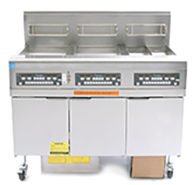
30-lb. FilterQuick Series Gas Fryer
Better
Better
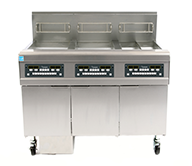
30-lb. FilterQuick Series Gas Fryer
Best
Best
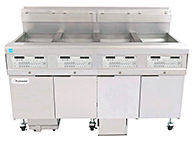
30-lb. FilterQuick Series Gas Fryer

Connect With an Expert

Ready to move forward? Fill out the form below to connect with your local Frymaster Sales Representative. They'll answer any questions you have and guide you through the next steps to place your order.

Thank You!

Your inquiry has been received. A Frymaster Sales Representative in your area will reach out shortly to answer your questions and help you complete your order. We appreciate your interest and look forward to assisting you!

Good
Good
30-lb. FilterQuick Series Gas Fryer
Better
Better
30-lb. FilterQuick Series Gas Fryer
Best
Best
30-lb. FilterQuick Series Gas Fryer