

Ensure the fryer has the latest FRYER software available on the website before installing or updating the FQLink Software.
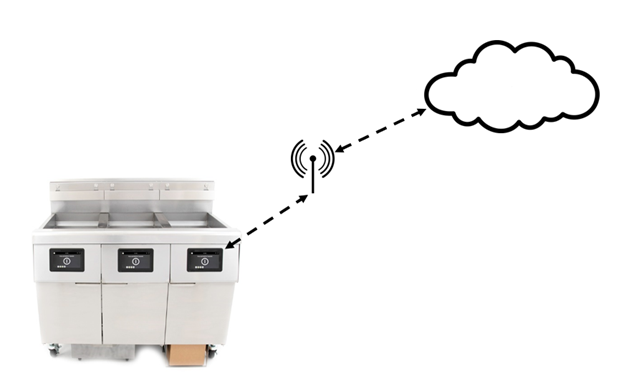
KitchenConnect (AWS) IoT Cloud Software
FQLink IoT KitchenConnect AWS Deployment Software for Initial Installation 60.99.035
FQLink IoT KitchenConnect AWS Update Software Update 60.99.035 (used to update from prior versions)
FilterQuick GM Casey's Fryer Software for FQLink
UIC: 10.00.141, VIB: 01.03.003, FIB: 10.00.061 and Menu File
Casey's Software Update Instructions
FilterQuick GM Slim Chicken Fryer Software for FQLink
UIC: 10.00.141, VIB: 01.03.003, FIB: 10.00.061 and Menu File
Slim Chicken Software Update Instructions
Generic Cloud IoT Software
FQLink IoT Generic Deployment Software for Initial Installation Download the AWS IoT Deployment software above. Install it first. Then download the Generic Update software below to convert to Generic Cloud IoT Software.
FQLink IoT Generic Update Software Update 61.99.046 (used to update from prior versions)
RIoT IoT Cloud Software
FQLink RIoT Deployment Software for Initial Installation Download the AWS IoT Deployment software above. Install it first. Then download the RIoT Update software below to convert to RIoT Cloud IoT Software.
FQLink RIoT Update Software Update 63.99.43 (used to update from prior versions)
FilterQuick GM Chick-fil-A Fryer Software for FQLink
UIC: 10.00.141, VIB: 01.03.003, FIB: 10.00.061 and Menu File
Chick-fil-A Software Update Instructions
The software files are in a compressed format and MUST be unzipped from a zip format before copying files to a USB drive. However, the files must remain in a .tar format for IoT files. See instructions below.
If you do not clearly understand any of the steps to download or unzip the software, or if you have any questions please call 1-800-551-8633 for assistance.
Unzipping Menu File Instructions - How to unzip and copy files to USB
FAS FQLink Ethernet Installation Instructions
FAS/IT Software Update Instructions - Casey's
FAS/IT Software Update Instructions - Chick-fil-A
FAS/IT Software Update Instructions - General Market
FAS/IT Software Update Instructions - McDonald's

